iOS 26 Beta: Liquid Glass Ushers in a New iPhone Era
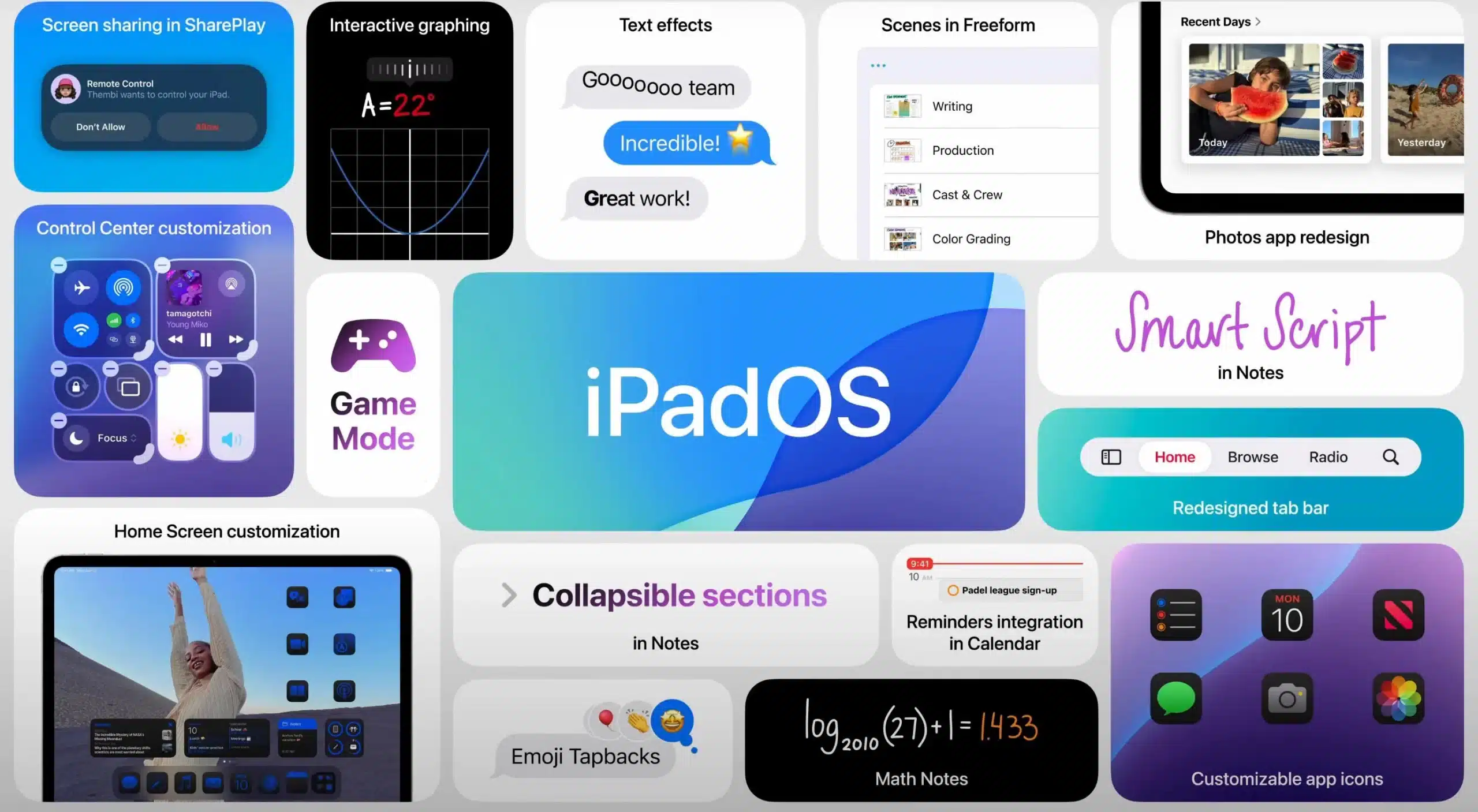
Apple’s WWDC 2025 keynote, delivered on June 9, 2025, by software chief Craig Federighi, introduced iOS 26 beta—a transformative update that redefines the iPhone experience with a stunning Liquid Glass redesign, smarter apps, and enhanced Apple Intelligence features. Notably, Apple has unified its operating system naming convention, skipping iOS 19 to align with the year of general release, hence iOS 26, iPadOS 26, watchOS 26, tvOS 26, and macOS Tahoe 26. Launched for developers immediately after the keynote, with a public beta expected in July and a full release slated for September alongside the iPhone 17 lineup, iOS 26 is Apple’s most ambitious software overhaul since iOS 7. This article explores the innovative design, practical features, compatibility details, and hidden gems of iOS 26, offering a comprehensive look at why it’s poised to reshape how we interact with our iPhones. Whether you’re eager to explore the iOS 26 beta download or awaiting the iPhone 17 reveal, here’s everything you need to know about this groundbreaking update.
Liquid Glass DesignVisual Revolution
The cornerstone of iOS 26 is the Liquid Glass design, a bold shift from the flat, minimalist UI pioneered by Jony Ive in 2013. Drawing inspiration from the translucent, immersive aesthetic of visionOS on Apple Vision Pro, Liquid Glass unifies Apple’s ecosystem under a single, futuristic visual identity. This cohesive rebranding marks a significant milestone, aligning version numbers with the year 2026 to reflect the software’s forward-looking vision Apple.
Liquid Glass is defined by its translucent, glass-like elements that reflect and refract light, dynamically adapting to the content behind them. App icons, widgets, and toolbars appear as floating panels, creating a sense of depth and dynamism. The new “All Clear” mode for app icons, joining Light and Dark modes, renders icons as transparent glass, stripping away color for a sleek, modern look. Lock screens now leverage spatial scenes, using machine learning to add 3D depth to background photos, transforming static wallpapers into immersive experiences that respond to device movement. This new design extends to all aspects of software, from buttons, switches, sliders, text, and media controls to larger elements like tab bars and sidebars, all behaving like glass in the real world.

Dynamic and Adaptive Interface
The “liquid” aspect of Liquid Glass refers to the UI’s adaptive behavior, powered by real-time rendering. For instance, lock screen time numerals stretch or shrink to accommodate background images or notifications, and even fluidly wrap around elements in your photos, ensuring a fluid, responsive experience. Each numeral's weight, width, and height adjust individually using a specially modified San Francisco typeface. Widgets and docks are rounded, glassy panels that float above the background, enhancing visual hierarchy. This adaptability extends to control centers and menus, which morph based on user interactions, making iOS 26 feel intuitive and alive. As noted by industry analysts, this redesign is Apple’s “most expressive UI yet,” designed to make every interaction feel personalized and engaging. The Verge
Why It Matters: Liquid Glass isn’t just a cosmetic refresh—it’s a functional evolution that enhances usability, setting the stage for the iPhone 17’s sleek design and advanced hardware, and showcasing a deeper integration of software and hardware.
Revamped Apps: Simplicity Meets Power
iOS 26 reimagines core apps like Camera, Photos, Phone, Messages, Safari, and FaceTime, prioritizing simplicity, accessibility, and enhanced functionality to streamline daily tasks.
Camera and Photos: Streamlined Creativity
The Camera app in iOS 26 embraces extreme minimalism, featuring just two primary controls—Video or Camera—with intuitive swipe gestures for mode selection (e.g., Portrait, Night, or Cinematic) and quick access to settings like aspect ratio or timers directly within the app. This design eliminates the clutter of hidden controls, making photography intuitive and fast. For example, swiping left or right switches modes, while swiping up reveals advanced settings, ensuring you capture moments without navigating complex menus. The app also introduces a lens cleaning prompt, notifying users if the camera lens is dirty for clearer shots.
The Photos app, criticized for its complexity in iOS 18, now features a Liquid Glass menu at the bottom, simplifying navigation across albums, memories, and search functions. Translucent menus blend seamlessly with backgrounds, offering a cleaner, more enjoyable way to browse and organize photos. Library and Collections tabs return, addressing user feedback for a more intuitive experience.

Phone App: Smarter Call Management
The Phone app adopts the Liquid Glass aesthetic with a unified layout optimized for larger iPhone screens. All key functions—contacts, recent calls, and voicemail—are accessible on a single screen, reducing navigation with a floating bar at the bottom. The Call Screening feature, powered by Apple Intelligence, answers unknown calls by first prompting callers to state their name and purpose before your phone rings, effectively filtering spam and providing you with details to decide whether to answer or ignore. Hold Assist detects hold music, mutes it, and alerts you when a live agent is available, saving time during customer service calls. These features make the Phone app more practical for managing real-world communication challenges.
Messages: Vibrant and Collaborative
The Messages app, a cornerstone of iPhone communication, gains dynamic backgrounds that showcase the Liquid Glass design. Users can add custom or animated backgrounds to chats, even generating unique backgrounds with Image Playground based on conversation context, making conversations visually expressive. Group chats now support polls, allowing users to vote on options like dinner plans or meeting times without scrolling through lengthy threads, and Apple Intelligence can even suggest when a poll might be useful. Enhanced spam detection filters out unwanted messages by moving unknown senders to a dedicated folder, ensuring your inbox remains focused. A new natural language search feature, powered by Apple Intelligence, lets users find old texts using conversational queries, such as “that message from Sarah about dinner last month.” Typing indicators in group chats also provide a more seamless experience.
Safari: Cleaner and More Fluid
Safari’s tab bar floats as a translucent, glassy panel above web pages, shrinking as you scroll to maximize screen real estate. While this design places the bar where thumbs might rest, early beta feedback suggests Apple may allow users to reposition it to the top for better accessibility. Auto-summarization, powered by Apple Intelligence, condenses long articles into key points, enhancing browsing efficiency. Furthermore, Safari now includes advanced fingerprinting protection by default for all browsing, significantly boosting privacy. These updates make Safari feel less cluttered, more responsive, and more secure.
FaceTime: Connection Without Distraction
FaceTime adopts a minimalist design, with controls tucked into the lower-right corner that fade during calls to keep the focus on the conversation. The landing page features contact posters with video clips from past calls, adding a personal touch. Live translation is also integrated, enabling near-real-time communication across languages by displaying captions during conversations. These updates make virtual connections feel more intimate and less intrusive, aligning with the Liquid Glass philosophy of elegance and simplicity.
Apple Intelligence: Smarter, More Personal
While the Liquid Glass redesign stole the spotlight at WWDC 2025, Apple Intelligence powers a suite of practical features that enhance iOS 26’s functionality. Live translation, available in Messages, FaceTime, and Phone apps, enables near-real-time communication across languages, displaying captions during conversations. Crucially, this feature works entirely on-device to ensure privacy and initially supports up to nine languages, including English (US & UK), Spanish, German, Chinese, French, Italian, and Korean. This feature is invaluable for global travelers or multilingual families, breaking down language barriers effortlessly. For example, during a FaceTime call with a Spanish-speaking friend, your iPhone can display English captions and even speak translations aloud, creating a seamless experience.
The Wallet app introduces a Digital ID for domestic travel, accepted for TSA screening at select US airports, though it doesn’t replace a physical passport. It also supports rewards tracking and installment payments for in-store purchases, not just online ones. Apple Intelligence pulls order details from emails and texts, centralizing tracking information even for non-Apple Pay purchases, making the Wallet app a comprehensive hub for financial and travel needs. Boarding passes now display Live Activities with real-time flight updates and quick access to airport navigation and Find My for lost bags.
Visual Intelligence now extends to on-screen content, allowing users to search the web or apps like Etsy by taking a screenshot (sleep + volume up buttons) and selecting the Image Search option. This feature can parse text from images, such as concert posters, to create Calendar events or identify products for shopping. It also includes an 'Image Wand' that can transform a rough sketch into a polished image for notes. Integration with ChatGPT and rumored Google Gemini support enhances Visual Intelligence, enabling users to perform complex searches or generate images in different styles, while maintaining on-device privacy. New Genmoji allow users to create unique emojis by typing descriptions or mixing existing emojis, with control over personal attributes like hair length or accessories.
Apple Intelligence also introduces smarter Shortcuts with "intelligent actions," a new set of shortcuts that leverage AI for tasks like summarizing text with Writing Tools or creating images with Image Playground. It can also automatically identify and categorize relevant actions in emails, websites, or notes for Reminders, generate summaries of long email threads or audio transcriptions in Notes, and provide "Priority Messages" in Mail. [](https://www.theverge.com/news/683738/apple-iphone-ios-26-changes-liquid-glass-wwdc-2025)

Entertainment and Gaming: Elevated Experiences
The Music app introduces features that cater to global and casual listeners. Lyrics translation displays translated lyrics in real time, ideal for enjoying songs in unfamiliar languages, such as K-pop or Bollywood tracks. A pronunciation feature provides phonetic guides for singing along, making it easier to master foreign lyrics. AutoMix blends songs like a DJ, matching beats for seamless transitions, while pinned artists and albums stay at the top of your library for quick access. Animated album artwork on the lock screen further enhances the visual experience.
Recognizing that over 500 million people game on iPhones, Apple launched a dedicated Games app in iOS 26. This portal simplifies access to Apple Arcade and other games, bypassing the App Store’s complexity by providing a unified library, event tracking, and friend status updates. Enhanced developer tools, announced at WWDC 2025, support higher resolutions, faster frame rates, and improved ray tracing, elevating the gaming experience on iPhone. These updates position the iPhone as a serious gaming platform, competing with devices like the Nintendo Switch.
Maps and CarPlay: Personalized Navigation
The Maps app now tracks frequently traveled routes, alerting users to delays before they hit the road and even suggesting alternative routes based on daily commutes. A “Visited Places” feature logs trips to restaurants, businesses, or attractions, organizing them by city or category for easy reference. This makes it simple to revisit favorite spots or plan new adventures, especially for frequent travelers or foodies, with location history protected by end-to-end encryption.
CarPlay adopts the Liquid Glass design, with compact call interfaces that don’t obscure navigation maps. Widgets display real-time data like weather or calendar events, while Live Activities show updates like coffee order statuses or flight arrivals. Messages in CarPlay support tapbacks and pinned conversations, keeping drivers connected safely. These enhancements extend to CarPlay Ultra, providing seamless integration between the car's displays and the iPhone.
---Privacy and Security Enhancements
iOS 26 reinforces Apple's commitment to user privacy and security with several key updates. Safari's enhanced fingerprinting protection, now on by default, makes it significantly harder for websites to track your online activity. The intelligent Call Screening feature not only helps filter spam but also gives you more control over who can reach you, putting privacy at your fingertips. Furthermore, new parental controls offer granular options for managing child accounts, including content blurring in FaceTime calls and shared photos, along with app download approvals, ensuring a safer digital environment for younger users.
Cross-Device Continuity and Ecosystem Integration
With iOS 26, Apple takes a monumental leap in unifying its ecosystem. The Liquid Glass design is not just for iPhone; it seamlessly extends across iPadOS 26, watchOS 26, tvOS 26, and macOS Tahoe 26. This shared visual language creates a cohesive and intuitive experience, making transitions between devices smoother than ever. Imagine your apps, widgets, and controls adopting the same dynamic, translucent aesthetic whether you're on your iPhone, iPad, Mac, or Apple Watch. Features like Live Translation, Visual Intelligence, and enhanced communication tools are designed to work harmoniously across your Apple devices, ensuring you have a consistent and powerful experience no matter which screen you're looking at. This deep integration reinforces the "Apple experience" as a holistic and interconnected one.
Developer Opportunities and Foundational AI
WWDC 2025, at its core, is a developer conference, and Apple did not disappoint those looking to innovate with AI. A significant announcement was Apple's decision to open up its underlying AI technology, specifically the **Foundation Models framework**, to third-party developers. This means developers can now tap directly into the powerful large language models at the core of Apple Intelligence, creating more sophisticated and intelligent features within their own apps. An impressive demonstration showcased an app like Kahoot generating quiz questions based on handwritten notes, highlighting the potential for truly innovative, privacy-preserving AI integrations. This move empowers the developer community to build even richer and more personalized experiences across the Apple ecosystem, leveraging on-device AI capabilities wherever possible.
Data Insights: iOS 26 Feature Adoption Potential
To illustrate the potential impact of iOS 26’s key features, the 3D bar chart below estimates user adoption based on early beta feedback and historical iOS update trends. Features like Liquid Glass and live translation are expected to drive significant engagement due to their visual appeal and practical utility. Interact with the chart by dragging to rotate it and hovering over bars for specific values.
Hidden Gems in iOS 26
iOS 26 includes a wealth of under-the-radar features that enhance usability and accessibility, many of which were briefly mentioned at WWDC 2025:
- AirPods Camera Remote: Start video recording by pressing and holding an H2-chip AirPod, ideal for vloggers.
- Custom Snooze Durations: Set alarm snooze times from 1 to 15 minutes for personalized wake-up routines.
- High-Quality Audio Recording: Record conference calls or videos in studio quality using H2-chip AirPods, with the ability to remove ambient noise during editing.
- Accessibility Enhancements: Braille-focused features, a new systemwide Accessibility Reader, and expanded Vehicle Motion Cues to reduce motion sickness.
- Journal App Upgrades: Support for multiple journals, inline images, and map-based entry tracking.
- Natural Language Search: Find old texts using conversational queries, like “messages about hiking last summer.”
- AI Battery Management: Optimizes power usage based on habits, crucial for the iPhone 17 Air’s smaller battery. The iPhone can finally estimate the time required to complete a full charge.
- SIM-Specific Focus: Silence one SIM in dual-SIM iPhones for better work-life balance.
- Parental Controls: Easier setup and migration of Child Accounts with new safety features like content blurring in FaceTime calls and photos in Shared Albums, and app download approvals.
Compatibility and Availability
iOS 26 supports iPhone 11 and later models, including iPhone SE (2nd generation and later). The developer beta launched on June 9, 2025, and is accessible via Settings > General > Software Update > Beta Updates for anyone with an Apple Account. The public beta arrives in July, with the full release expected in mid-September alongside the iPhone 17 lineup. However, advanced Apple Intelligence features, like on-device AI processing and tools such as Image Generation or Content Summarization, require an iPhone 15 Pro, 15 Pro Max, 16 Pro, or the upcoming iPhone 17 series. Note that beta versions may have bugs and app crashes, so developers and early adopters should proceed cautiously and ensure they have backed up their device.
| Device | iOS 26 Compatibility | Apple Intelligence Support |
|---|---|---|
| iPhone 11, 12, 13, 14, SE (2nd gen+) | Supported | Partial |
| iPhone 15, 15 Plus | Supported | Partial |
| iPhone 15 Pro, 15 Pro Max, 16 Pro, 16 Pro Max | Supported | Full |
| iPhone 17 series (upcoming) | Supported | Full |
| iPhone XS, XS Max, XR, X, 8, and earlier | Not Supported | Not Supported |
User Feedback and Accessibility Concerns
While the Liquid Glass design has been praised for its innovation, early beta testers have raised concerns about readability, particularly with notifications due to low contrast in translucent elements. Feedback on platforms like X echoes accessibility debates from the iOS 7 launch, with some users finding the UI visually stunning but challenging for those with visual impairments. Apple has a history of refining designs based on user input, and future betas are expected to address these issues with contrast adjustments and accessibility options. Developers can submit feedback via the Apple Beta Software Program to shape the final release.
iPhone 17: Perfect Companion for iOS 26
iOS 26 is designed to complement the iPhone 17 lineup, expected to launch in September 2025. The iPhone 17 Air, rumored to be Apple’s thinnest iPhone yet at 5.5mm and 146 grams, will leverage iOS 26’s AI-powered battery management to mitigate its smaller battery capacity compared to the iPhone 17 Pro models, which may feature aluminum frames and dual-camera recording support. The Liquid Glass interface is tailored to highlight the iPhone 17’s sleek design, with translucent elements that accentuate its slim profile. WWDC 2025 set high expectations for Apple’s fall event, where the iPhone 17 series will likely debut alongside the full iOS 26 release, potentially alongside an AirTag 2 or a smart home hub. MacRumors
Why iOS 26 Matters?
iOS 26 represents more than a software update—it’s a vision for the future of mobile computing. The Liquid Glass design redefines aesthetics, making every interaction feel fresh and immersive. Apple Intelligence features like live translation and Visual Intelligence bring practical utility to daily tasks, while revamped apps streamline creativity and communication. As Apple prepares for the iPhone 17 launch, iOS 26 sets the stage for a new era of iPhone innovation, blending style, functionality, and intelligence in ways that resonate with users worldwide.
Summary
Liquid Glass Redesign: Translucent, dynamic UI unifies iOS, iPadOS, watchOS, and macOS, representing Apple's "broadest software design update ever."
App Overhauls: Minimalist Camera, Photos, Phone, and Messages apps enhance usability with features like Call Screening, Hold Assist, and dynamic chat backgrounds.
Apple Intelligence: Live translation (on-device, 9 languages), Digital ID, Visual Intelligence (highlight to search, Image Wand, ChatGPT/Gemini integration), Genmoji, and smarter Shortcuts streamline tasks.
Availability: Developer beta out now (June 9, 2025), public beta in July, full release in September 2025 with iPhone 17 lineup. Requires iPhone 11 or later; full AI on iPhone 15 Pro/Max, 16 Pro/Max, and 17 series.
Gaming and Entertainment: Dedicated Games app provides a central hub, and Music app features lyrics translation, pronunciation, and AutoMix.
iOS 26 beta is a bold step forward, blending cutting-edge design with practical, AI-driven features that make every interaction feel personal and intuitive. From the translucent elegance of Liquid Glass to the smarter Camera and Messages apps, this update redefines what an iPhone can do. Whether you’re a developer testing the beta, awaiting the public release, or counting down to the iPhone 17 Air, iOS 26 promises to elevate your experience. For more insights, exclusive stories, and real-time updates, explore Trendsnip and visit newsiq for further reliable news and information.
Latest News
iOS 26 Developer Beta Sparks Excitement
Launched on June 9, 2025, the iOS 26 developer beta has developers buzzing with its Liquid Glass design and new features like live translation and the Games app. Available through the Apple Beta Software Program, this early release offers a glimpse into Apple’s vision for the iPhone’s future. While not recommended for daily use due to potential bugs, the beta is a playground for testing new APIs and UI elements, with a public beta set for July to broaden access.
iPhone 17 Air Rumors Highlight Ultra-Thin Design
The iPhone 17 Air, expected in September 2025, is rumored to be Apple’s thinnest iPhone yet at 5.5mm and 146 grams. iOS 26’s AI-powered battery management aims to offset its smaller battery, while the Liquid Glass UI will accentuate its sleek profile. Dual-camera recording support is also anticipated, positioning the iPhone 17 Air as a creator-focused device despite compromises compared to Pro models.
Visual Intelligence Expands with Third-Party AI
iOS 26’s Visual Intelligence now supports on-screen searches and integrates with third-party AI models like ChatGPT and potentially Google Gemini. Users can identify products, add events from posters, or search within apps, all while maintaining on-device privacy. This feature enhances shopping, research, and organization, making iOS 26 a versatile tool for modern lifestyles.
Liquid Glass Readability Concerns Surface
Early iOS 26 beta testers have flagged readability issues with the Liquid Glass UI, particularly for notifications due to low contrast. These concerns, echoed across social platforms, highlight accessibility challenges for users with visual impairments. Apple is expected to refine the UI in upcoming betas, ensuring the design balances aesthetics with inclusivity for all users.
About the Author