Step-by-Step Guide
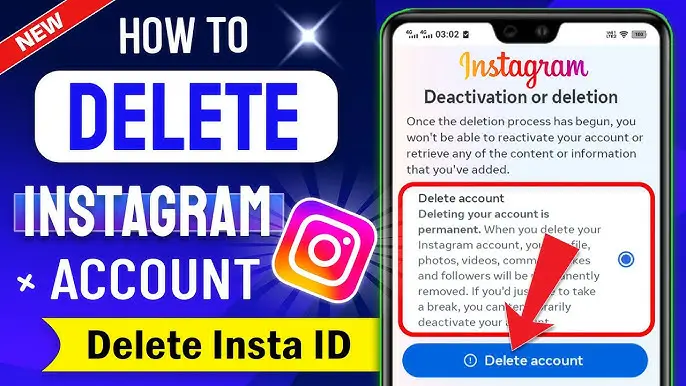
How to Delete Your Instagram Account
Hey there, Trendsnip reader! Feeling the weight of endless scrolling? Is your thumb tired and your mind cluttered from the constant stream of perfect pictures and fleeting trends? You're not alone. In the vibrant, fast-paced world of social media, taking a step back can be the most empowering trend of all. If you've landed here, chances are you're considering a significant change: saying goodbye to your Instagram account. This guide from Trendsnip is updated for 2025 to ensure you have the most current information on how to permanently delete your Instagram account.
Deciding to delete your Instagram isn't just about hitting a button; it's a choice to reclaim your time, curate your online presence with intention, and perhaps even rediscover the simple joys of life away from the screen. It's a move towards greater digital well-being and escaping the endless scroll.
This in-depth guide from Trendsnip is designed to walk you through every step of permanently deleting your Instagram account. We'll cover why this might be the right move for you, the crucial preparations you need to make (like saving those precious memories!), the exact steps to follow using the official Instagram delete account link, and what happens after you initiate the permanent removal process. Let's navigate this digital farewell together.
Why Consider Deleting Your Instagram Account Permanently?
The journey towards deleting your Instagram account often starts with a feeling – a sense that something isn't quite right. The reasons are deeply personal, but many resonate with a common desire for a healthier digital life. Let's explore some of the most common motivations that lead people to consider this significant step towards permanent removal.
1. Prioritizing Your Digital Well-being and Mental Health
The curated reality of Instagram can be a breeding ground for comparison and feelings of inadequacy. Constantly seeing seemingly flawless highlight reels of others can trigger feelings of inadequacy, envy, and social comparison. This phenomenon, often dubbed "compare and despair," is a real and documented psychological effect of heavy social media use. Furthermore, the pursuit of likes and followers can lead to validation-seeking behaviors, tying your self-worth to external metrics rather than internal values. Notifications create a constant state of alert, fragmenting attention and contributing to feelings of being overwhelmed. Choosing to delete Instagram is a proactive step to remove yourself from this potentially toxic environment, reducing exposure to triggers and creating mental space for self-reflection, self-acceptance, and genuine connection away from the pressure of online performance. It's an act of reclaiming your mental peace in a noisy digital world and embracing a true digital detox.
2. Reclaiming Precious Time and Boosting Productivity
Have you ever checked your screen time report and been shocked by how many hours you spend on Instagram each week? It's easy for those quick checks to turn into lengthy scrolling sessions, consuming hours you might not even realize you're losing. This time could be invested in activities that offer tangible benefits and deeper fulfillment: learning a new language , mastering a musical instrument , dedicating more time to exercise , pursuing a creative passion, reading books, spending uninterrupted quality time with family and friends, or simply getting more done at work or school. Deleting Instagram removes a significant, often unconscious, time sink. It eliminates the temptation to pick up your phone and scroll whenever there's a lull, forcing you to find alternative, potentially more productive or enriching, ways to fill those moments. It's about taking back control of your schedule and directing your energy towards things that truly matter to you.
3. Addressing Growing Privacy Concerns and Data Ownership
In today's digital age, the conversation around data privacy and ownership is more critical than ever. Social media platforms, including Instagram, collect vast amounts of data about their users – from what you post and like to your location, contacts, and even inferred interests based on your activity both on and off the platform. This data is incredibly valuable and is often used for targeted advertising or shared with third parties (though the specifics of this sharing are often complex and opaque). If you are concerned about how your personal information is being collected, stored, and potentially used or shared, deleting your Instagram account is the most direct and effective way to cease this data flow. While some data might be retained for legal or operational reasons for a period, permanent deletion signals your clear intent to remove your digital footprint from their ecosystem as much as possible, giving you greater peace of mind regarding your online privacy.
4. Your Interests, Goals, or Lifestyle Have Evolved
We are constantly growing and changing. The person who created your Instagram account years ago might have had different interests, goals, or social circles than you do today. Perhaps you joined Instagram to share photos of a specific hobby you no longer pursue, to keep up with a particular group of friends you're now closer to offline, or for a business venture that has since shifted direction. If your current lifestyle, values, or aspirations no longer align with the culture or purpose of the platform, it's perfectly natural and healthy to consider moving on. Holding onto an account that no longer serves you can feel like carrying unnecessary digital baggage. Deleting it can be a symbolic act of embracing your current self and focusing your energy on the communities and platforms (or lack thereof) that better fit who you are now and who you want to become.
5. Simply Reducing Digital Clutter and Overwhelm
In our increasingly digital lives, managing multiple online accounts can contribute to a general feeling of digital overwhelm. Each platform requires attention, notifications, and maintenance. If your Instagram account has become dormant, a source of spam, or just another digital chore, deleting it can be part of a larger effort to simplify your online presence. Reducing digital clutter can lead to a clearer mind and less cognitive load, allowing you to focus on the digital tools and communities that you truly value and actively engage with. It's about streamlining your online life for greater peace and efficiency.
Whatever your personal catalyst, recognizing why you want to delete is a powerful first step towards a mindful and intentional digital exit. Take a moment to reflect on your own reasons – understanding them will strengthen your resolve as you move through the process of permanent account removal.
Temporary Pause vs. Permanent Goodbye
Before you take any action, it is absolutely critical – we cannot stress this enough – that you understand the two distinct options Instagram provides when you want to step away from your account. Choosing the wrong one can lead to unintended consequences, like losing all your data forever when you only meant to take a short break. This guide is focused on the permanent deletion process, but let's ensure you know the alternative clearly.
Option 1: Temporarily Deactivate Your Account (Taking a Break)
Think of this as hitting a sophisticated pause button on your Instagram life. It's designed for users who need a break but aren't ready to commit to leaving permanently.
- Visibility: Your profile, along with all your photos, videos, comments, and likes, is completely hidden from everyone else on Instagram. People won't be able to search for you or see your past interactions. It's like you've temporarily disappeared from the platform.
- Account Status: Your account isn't gone; it's merely inactive. All your information, content, and connections remain stored by Instagram.
- Reactivation: This is the key benefit! You can easily come back anytime you wish. Simply log back into your account through the Instagram app or website using your username and password. Instagram will recognize your account is deactivated and prompt you to reactivate it. Once reactivated, everything will be restored exactly as you left it – your profile, posts, followers, messages, etc.
- Data Retention: All your data and content are safely retained by Instagram, waiting for your return. There is no risk of losing anything by deactivating.
This is the ideal choice if you need a short digital detox, are going through a busy period (like exams or a major project), are traveling and want to disconnect, or are simply unsure if you want to leave Instagram forever. It gives you flexibility without the finality of deletion.
Option 2: Permanently Delete Your Account (The Final Exit)
This is the irreversible, final step. Choosing this option means you are certain you no longer want an Instagram account and understand that all your data will be removed forever.
- Content Removal: Your profile, every single photo and video you've ever posted, all your comments, likes, followers, and direct messages are removed forever. This content cannot be recovered.
- Account Closure: Your account is permanently closed. You will not be able to log into it again.
- Username Availability: After a period (which can sometimes take longer than the initial deletion grace period), your username may become available for someone else to claim and use.
- Data Purging: Over time, all your data associated with that account is deleted from Instagram's servers. While some data might be retained for legal or internal purposes for a limited time, it is no longer linked to your profile and is inaccessible to you.
Let us repeat for absolute clarity: This action is irreversible. Once your account is permanently deleted and the grace period has passed, there is no way to get it back, recover your content, or use that exact account again.
This is precisely why taking the time to read this comprehensive guide, understand the implications of permanent deletion, and crucially, back up your data by downloading your Instagram information, is so incredibly important before you proceed with this final step. Make sure this is truly what you want.
Your Digital Keepsakes: Before You Delete, Download Your Data!
Seriously, Do NOT Skip This Crucial Step! This is Your Last Chance to Download Instagram Data!
Imagine losing years of cherished photos, heartfelt comments from friends, and records of your online interactions forever. Unless you are absolutely, 100% certain you want to erase every trace of your activity and content, you must download a copy of your data archive before you even think about initiating permanent deletion. This is your final opportunity to preserve your digital memories and information from the platform. The good news is, Instagram makes this process relatively straightforward.
Here’s your detailed, step-by-step guide to requesting and downloading your Instagram information archive:
Step 1: Access Your Instagram Settings
You can do this from either the mobile app or a desktop web browser. Using a desktop browser might be slightly easier for navigating the settings menus.
- Via Mobile App: Open the Instagram app on your smartphone. Go to your profile page (tap your profile picture in the bottom right). Then, tap the three horizontal lines (the 'hamburger' menu) in the top right corner. From the menu that pops up, tap "Settings and privacy."
- Via Desktop Browser: Go to Instagram.com in your web browser (like Chrome, Firefox, Safari, etc.). Log into your account. Click on your profile picture in the top right corner of the page. From the dropdown menu, click "Settings."
Step 2: Navigate to "Your Activity"
Within the main Settings menu (either on mobile or desktop), look for the section or option related to "Your activity." Tap or click on it. This section is a hub for various tools related to your account history, time spent, information download, etc.
Step 3: Select "Download your information"
Inside the "Your activity" menu, you will find an option specifically for accessing your data. Look for and select "Download your information" (it might sometimes be labeled slightly differently, like "Data download" or similar). Click or tap this option.
Step 4: Request a Download of Your Data
On the "Download your information" page, you'll see a button or link to request your data archive. Tap or click "Request download." This action signals to Instagram that you want them to compile a copy of your data for you.
Step 5: Choose Information Type and File Options
Instagram will ask you to specify what information you want to download and in what format.
- Information Type: You can usually choose between downloading a "Complete copy" of everything or selecting specific "Types of information" (like just photos, or just messages). For most users preparing for deletion, downloading the "Complete copy" is highly recommended to ensure you don't miss anything.
- Format: You'll typically have options like HTML or JSON. HTML is generally the most user-friendly format for viewing your data directly in a web browser on your computer without needing special software. JSON is more suitable for developers or those who plan to process the data programmatically. Choose HTML for ease of access.
- Media Quality: You might also be able to select the quality of photos and videos in the archive. Higher quality means a larger file size but better resolution.
Select your preferred options and click "Submit Request."
Step 6: Wait for the Email Notification
After submitting your request, Instagram will begin compiling your data archive. This isn't instantaneous. The time it takes depends heavily on how much content and data you have associated with your account – it could be anywhere from a few hours to several days for larger accounts. Be patient during this process!
Once your data is ready for download, Instagram will send an email notification to the email address linked to your Instagram account. The subject line will be something clear like "Your Instagram Information" or similar.
Step 7: Download Your Data Archive
Open the email you received from Instagram. Inside, you will find a button or link labeled "Download Information." Click this link.
For security purposes, clicking the link will likely take you back to Instagram's website, where you may need to log into your account again to verify your identity before the download begins.
Once verified, your browser will download a ZIP file containing your Instagram data. The file name will typically include your username and the date.
Step 8: Extract and Explore Your Data
Locate the downloaded ZIP file on your computer. You will need to 'extract' or 'unzip' its contents to access the files inside. Most operating systems (Windows, macOS) have built-in tools for this – usually, you can right-click the file and select "Extract All" or double-click it.
Once extracted, you'll find folders containing your photos, videos, messages, comments, profile information, and more. If you chose the HTML format, you can open the main index.html file in your web browser to navigate through your data in a user-friendly way.
Take the time to explore the downloaded archive and ensure you have everything you want to keep before moving on to the deletion step. Store this archive in a safe place, like an external hard drive or cloud storage.
Completing the data download is a crucial safety net. Now that you've secured your digital history, you can proceed with the permanent deletion process with confidence, knowing your memories are preserved. This is a key step in learning how to delete your Instagram account effectively.
Final Step: How to Permanently Delete Your Instagram Account?
Remember, this action is irreversible after the grace period. Ensure you have downloaded your data! This is the permanent account removal process.
You've reflected on your reasons, understood the difference between deactivation and deletion, and successfully downloaded your data archive. You are now ready to take the final step and permanently delete your Instagram account. The process is relatively simple but requires you to navigate to a specific page on the Instagram website.
Follow these steps carefully to initiate the permanent deletion of your account:
Step 1: Go to the "Delete Your Account" Page
Instagram does not allow you to permanently delete your account directly from the mobile app's settings. You must use a web browser (on your computer or mobile device) and go to the specific "Delete Your Account" page.
Click this link to go directly to the official Instagram delete account page:
Go to Instagram's Delete Your Account Page
Alternatively, you can sometimes find this page by logging into Instagram.com on a browser, going to Settings > Help > Help Center, and searching for "delete account." However, using the direct delete Instagram account link is the fastest way.
Step 2: Log In (If Prompted)
If you are not already logged into Instagram in that browser, you will be prompted to log in to the account you wish to delete. Enter your username and password.
Step 3: Select a Reason for Deletion
On the "Delete Your Account" page, Instagram will ask you to select a reason from a dropdown menu for why you are deleting your account. This is a mandatory step for permanent account removal.
Choose the reason that best applies to you. The options include things like "Too busy/too distracting," "Privacy concerns," "Created a second account," etc. Selecting a reason may sometimes reveal related help articles or suggestions from Instagram, but it won't stop the deletion process once you proceed.
Step 4: Re-enter Your Password
After selecting a reason, you will be required to re-enter your Instagram password to confirm that you are the owner of the account and authorize the permanent deletion.
Make sure you enter your current password correctly.
Step 5: Click the "Delete" Button
Once you have selected a reason and re-entered your password, the "Delete [Your Username]" button will become active at the bottom of the page. This is the final action to initiate the permanent account removal process.
Click this button: (Note: This will take you to the Instagram account deletion page.)
Instagram will likely show you a confirmation message reminding you that your account will be deleted within a certain period (the grace period) if you don't log back in. Read this message carefully and confirm.
Important Note: As of 2025, Instagram typically provides a 30-day grace period after you initiate deletion. During this period, your account is hidden, but you can log back in to cancel the deletion request. If you log in within these 30 days, your account will be reactivated, and the deletion process will be stopped. To proceed with permanent deletion, you must *not* log back into your account during this 30-day window.
Congratulations, you have successfully initiated the permanent deletion of your Instagram account! The next section explains exactly what happens now regarding the grace period and data purge.
After You Hit Delete: The Grace Period and Data Purge
You've taken the plunge and clicked the delete button. What happens immediately, and what's the timeline for your account and data to be permanently gone? Understanding this process is key, especially regarding the grace period for permanent Instagram account removal.
The 30-Day Grace Period (as of 2025)
Immediately after you confirm the deletion request, your Instagram account enters a temporary state of invisibility.
- Account Hidden: Your profile, photos, videos, comments, likes, and followers list become invisible to other Instagram users. Searching for your username will not yield results.
- Deletion Scheduled: Instagram marks your account for permanent deletion, but the actual data removal doesn't happen right away.
- The Window to Cancel: This 30-day period is your safety net. If you change your mind for any reason within these 30 days, you can log back into your account using your username and password. Instagram will present you with an option to cancel the deletion request. Confirming this will fully restore your account exactly as it was before you initiated deletion. This is how you would cancel Instagram deletion if you change your mind.
This grace period is designed to prevent accidental permanent deletion. However, if your goal is permanent removal, you must actively avoid logging into the account during these 30 days.
Permanent Data Deletion (After the Grace Period)
Once the 30-day grace period expires without you logging back in, the permanent deletion process begins.
- Irreversible Action: At this point, the deletion becomes permanent. Your account and all associated data are removed from Instagram's primary servers.
- Data Purge: All your photos, videos, comments, likes, followers, messages, and profile information are systematically deleted. This data cannot be recovered by you or anyone else.
- Residual Data: Instagram's Data Policy mentions that some information might be retained for a limited period for legal or operational reasons (e.g., to combat abuse, comply with legal obligations). However, this data is de-identified and no longer linked to your specific account.
- Username: Your username may eventually become available for others to claim, though this can take varying amounts of time and isn't guaranteed immediately after the 30-day period.
The entire deletion process, including the purging of data from backups and systems, can take up to 90 days from the beginning of the 30-day grace period. However, your account is effectively gone and inaccessible to you or others after the initial 30 days pass without a login. This completes the permanent Instagram account removal.
Instagram: Exploring Alternatives and Embracing the Detox
Deleting Instagram is a significant step, but it doesn't mean you have to disconnect entirely from the digital world or social connection. It's an opportunity to be more intentional about how you spend your time online and explore platforms or activities that better align with your current needs and values.
Exploring Other Social Platforms (Mindfully)
If you still want some form of online connection but found Instagram draining, consider platforms that serve different purposes or have a different culture:
- LinkedIn: For professional networking and industry insights.
- Pinterest: For visual inspiration, ideas, and discovering new hobbies (less focus on personal life comparison).
- Reddit: For niche communities and discussions on specific topics you're passionate about.
- Smaller, Niche Communities: Forums, Discord servers, or online groups centered around specific hobbies, interests, or professional fields. These often foster deeper connections than broad social networks.
The key is to approach any new platform with intention. Ask yourself: Why am I joining this? What value does it bring? How much time do I want to spend here? Set boundaries from the start.
Embracing the Digital Detox and Real-World Connections
Perhaps the best "alternative" is less screen time altogether. Deleting Instagram frees up significant time and mental energy. Consider redirecting this towards:
- Spending More Time Outdoors: Nature has proven benefits for mental health.
- Reading Books: Dive into stories or learn something new without the distraction of notifications.
- Pursuing Hobbies: Dedicate time to painting, playing music, gardening, cooking, or whatever brings you joy.
- Exercising: Physical activity is a powerful mood booster and stress reliever.
- Connecting with People Offline: Call a friend, meet for coffee, spend time with family. Nurture your in-person relationships.
- Mindfulness and Meditation: Create space for quiet reflection and presence.
Deleting Instagram isn't just about removing something negative; it's about creating space for positive, enriching experiences that contribute to your overall well-being. Embrace the opportunity to rediscover what truly matters to you away from the curated feeds.
Frequently Asked Questions (FAQs)
Q: What happens to my photos and videos after I delete my account?
A: Once you permanently delete your Instagram account and the 30-day grace period passes, all your photos, videos, stories, and reels are permanently removed from Instagram's servers. They cannot be recovered. This is why downloading your data beforehand is crucial.
Q: Will my direct messages (DMs) be deleted?
A: Yes, when you permanently delete your account, your direct messages are also removed from your side of the conversation. However, the messages will still remain visible to the people you conversed with in their inboxes. They will see that your account is no longer active.
Q: Can I get my username back after deleting?
A: After your account is permanently deleted (which happens after the 30-day grace period), your username may eventually become available for someone else to claim. However, Instagram does not guarantee this, and there is no specific timeline for when a username might be released. It's best to assume you won't be able to reclaim it immediately, if ever.
Q: How long does it take for my account to be fully deleted?
A: There is a 30-day grace period during which your account is hidden but can be restored by logging back in. After this 30-day period, the permanent deletion process begins, and it can take up to 90 days for your data to be completely removed from Instagram's systems and backups. So, the total process can take up to 120 days from your initial request.
Q: What if my Instagram account is linked to my Facebook account?
A: Deleting your Instagram account will not automatically delete your linked Facebook account. They are separate platforms. However, if your Instagram account was created using your Facebook login, you might need to manage the linked accounts setting on Facebook before or after deleting Instagram. Deleting Facebook would also not delete Instagram.
Embracing Your Digital Freedom
Deciding to permanently delete your Instagram account is a personal and often empowering choice. It's a bold step towards taking control of your digital life, prioritizing your mental health, reclaiming your time, and enhancing your privacy.
By following the steps outlined in this Trendsnip guide – from understanding the difference between deactivation and permanent deletion, to diligently downloading your data using the provided guide, and finally initiating the permanent account removal using the official link – you can navigate this process confidently and securely.
Remember the 30-day grace period is your final opportunity to change your mind and cancel Instagram deletion. If you are committed to leaving, resist the urge to log back in.
As you step away from the platform, embrace the newfound time and mental space. Explore alternative forms of connection or simply enjoy the richness of life offline. The digital world is constantly evolving, and choosing how and where you engage with it is ultimately in your hands.
Break free, stay mindful, and enjoy your digital freedom!
About the Author